Address labels look like a small detail, but they affect whether mail and packages arrive on time. A clear, correctly formatted label is easier for sorting machines and carriers to read, and a branded return label makes even a plain envelope look professional. Whether you are sending holiday cards, mailing invoices or shipping orders, choosing the right labels saves time and reduces returned mail.
This guide covers common label sizes on standard sheets, how to format a US address, the difference between return and shipping labels and when it makes sense to order custom printed labels for your business.
Common Address Label Sizes
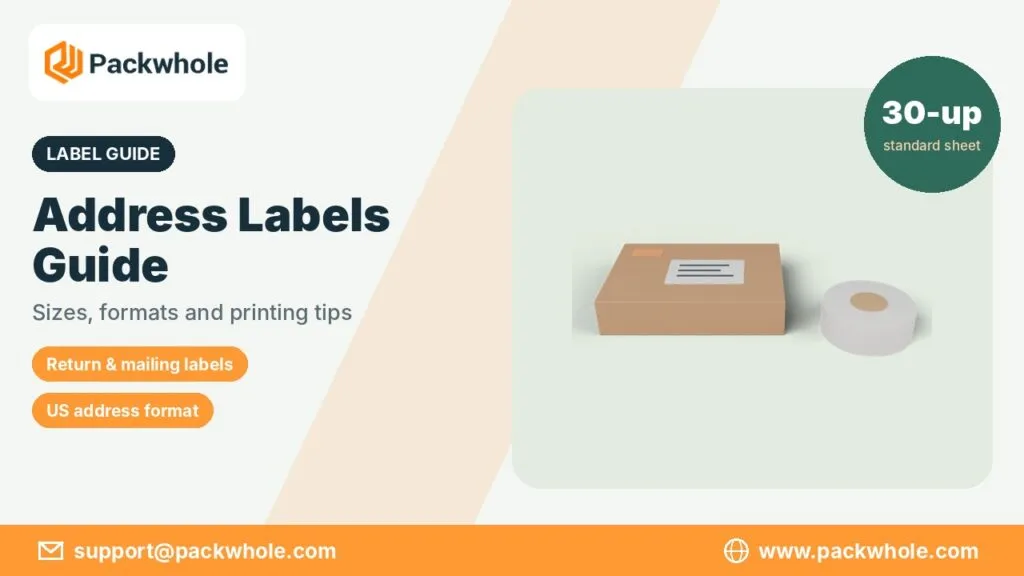
Most office and home printers use letter-size sheets with pre-cut labels. Many formats are standard across brands, so templates in word processors usually match. The sizes below are widely used in the United States.
| Label size (inches) | Labels per sheet | Typical use |
|---|---|---|
| 1 x 2 5/8 | 30 | Standard mailing and address labels |
| 1/2 x 1 3/4 | 80 | Small return address labels |
| 1 x 4 | 20 | Longer addresses, file labels |
| 1 1/3 x 4 | 14 | Addresses with extra lines |
| 2 x 4 | 10 | Shipping and larger address labels |
| 3 1/3 x 4 | 6 | Package labels with logo |
| 4 x 6 | 1 (thermal) or 2 | Carrier shipping labels |
How to Format a US Mailing Address
The Postal Service recommends a simple, consistent layout so automated equipment can read the address. Put the recipient’s name on the first line, the street address on the next, then the city, state and ZIP Code on the last line. Use the two-letter state abbreviation and include the ZIP+4 code if you know it. Many shippers print addresses in capital letters without punctuation for clarity.
- Recipient name or business name
- Street number and name, plus apartment or suite
- City, two-letter state abbreviation and ZIP Code
These tips summarize public USPS addressing guidance; for detailed rules, see the Postal Service’s own addressing publication, since this post offers general pointers rather than official instructions.
Return Address Labels
Return address labels go in the upper left corner of an envelope or package. They tell the carrier where to send the item if it cannot be delivered. Small labels around 1/2 x 1 3/4 inches are popular for envelopes, while larger formats suit packages. Businesses often add a logo or a short tagline. Our custom return address labels can be printed with your logo, colors and font.
- Include your full name or business name.
- Use the same address format as the delivery address.
- Keep the design simple so the text stays readable.
Shipping Labels vs. Address Labels
Address and shipping labels are related but not the same. An address label shows only the delivery or return address. A shipping label, printed from a carrier or shipping platform, includes postage, a barcode, tracking and the addresses. Shipping labels are usually 4 x 6 inches and printed on thermal printers or on half-sheet labels for laser and inkjet printers.
| Label type | What it includes | Common size |
|---|---|---|
| Address label | Name and address only | 1 x 2 5/8 or 2 x 4 inches |
| Return address label | Sender address, often a logo | 1/2 x 1 3/4 inches |
| Shipping label | Postage, barcode, tracking, addresses | 4 x 6 inches |
Choosing Label Material and Finish
Label material matters when packages face rain, cold or rough handling. Paper labels are fine for envelopes and indoor use. Glossy or film labels resist moisture better, and clear labels let the envelope color show through. For outdoor storage or refrigerated items, look for waterproof options. Our guide to waterproof stickers explains the materials that hold up best.
- Matte paper: easy to write on, good for envelopes.
- Glossy paper: bright colors for branded labels.
- Clear film: minimal look on colored envelopes.
- Waterproof vinyl: packages and cold storage.
Printing Address Labels at Home
Printing your own labels is simple with a template. Most word processors and design tools include common label layouts. Run a test print on plain paper first and hold it behind a label sheet to check alignment. Use the correct printer setting for labels, and feed sheets one at a time if the printer tends to jam.
- Choose the template that matches your label sheet.
- Enter or merge your address list.
- Print a test page on plain paper and check alignment.
- Print on the label sheet using the label or heavy paper setting.
- Let ink dry before handling.
Mail Merge for Larger Lists
If you send holiday cards, invitations or invoices to many people, a mail merge saves hours. Keep your list in a spreadsheet with separate columns for name, street, city, state and ZIP Code. Then link the spreadsheet to a label template. Check for duplicate entries and outdated addresses before printing a large batch.
Mailing Labels for Small Businesses
For a small business, labels are a small branding opportunity. A consistent return label with your logo and colors appears on every envelope and parcel you send. Matching labels across packaging, stickers and boxes helps customers recognize your brand. Our post on packaging stickers for small businesses explains how labels and stickers work together, and our custom rectangle stickers suit larger branded address or shipping labels.
- Use the same colors as your packaging.
- Keep the address text large and clear.
- Order in rolls or sheets to match how you pack orders.
Keeping Your Address List Up to Date
A label is only as good as the address on it. People move, businesses change suites and new apartments get added to buildings. Review your contact list before every large mailing, remove duplicates and correct any entries that came back as undeliverable last time. Many shipping platforms offer address checks that flag missing apartment numbers or invalid ZIP Codes. Keeping a single, clean list for invitations, invoices and holiday cards saves time every season.
Common Mistakes With Address Labels
Many delivery problems trace back to small label errors. Double-check addresses before printing, and keep labels away from box seams and corners where they can tear.
- Missing apartment or suite numbers.
- Wrong or missing ZIP Code.
- Labels placed over seams or tape.
- Faded ink or smudged print.
- Old barcodes left on reused boxes.
Planning Your Label Supplies
Think about how many items you send each month and in what format. Home users may only need a pack of return labels, while online shops may need rolls of shipping labels as well. Ordering the right quantity avoids running out during busy seasons such as the holidays.
| Sender type | Labels to keep on hand |
|---|---|
| Household | Return labels and a few sheets of mailing labels |
| Small office | Address labels and file labels |
| Online shop | 4 x 6 shipping labels and branded return labels |
| Event planner | Invitation address labels in matching colors |
Where to Place Labels on Envelopes and Boxes
Placement affects how quickly a carrier can read the address. On a standard envelope, the delivery label sits in the center of the front, parallel to the long edge, and the return label goes in the upper left corner. Leave the upper right corner clear for postage. On a box, place the label on the largest flat surface, away from seams, edges and handles, so tape and folds do not cover any text.
- Envelopes: delivery address centered, return address top left.
- Boxes: largest flat side, clear of seams.
- Tubes: along the length so the text is not wrapped around the curve.
- Reused boxes: cover or remove every old label.
Labels for Holiday Cards and Invitations
Seasonal mail is where printed labels save the most time. A family sending fifty holiday cards or a planner mailing wedding invitations can print every envelope in a few minutes instead of writing each one by hand. Clear labels on colored envelopes look almost like printing directly on the paper, and matching return labels with a small illustration add a personal touch. Order or print a few extra sheets, because last-minute names always appear on the list.
Getting the Most From Your Labels
Good labels combine clear information, the right size and a material that holds up. Pick a standard size that matches your printer, or order custom labels for a polished look. Keep your address list clean and print a test page before every large job. With these habits, your mail looks professional and arrives where it should.
Branded Labels for Your Mail and Packages
Want labels that match your boxes and stickers? Share your logo and the sizes you use, and our designers will set up the layout without charge, send a digital proof for approval, print modest quantities and ship quickly. Email support@packwhole.com to discuss your labels, or browse sticker and label options on www.packwhole.com.